
OneCommander
for Windows- Name OneCommander
- Category Utilities & tools
- Downloads 70,000,000+
- Developer milosp
- Available on PC
- OS Windows 10 version 17763.0 or higher
- Keyboard Not specified
- Mouse Not specified
Pros
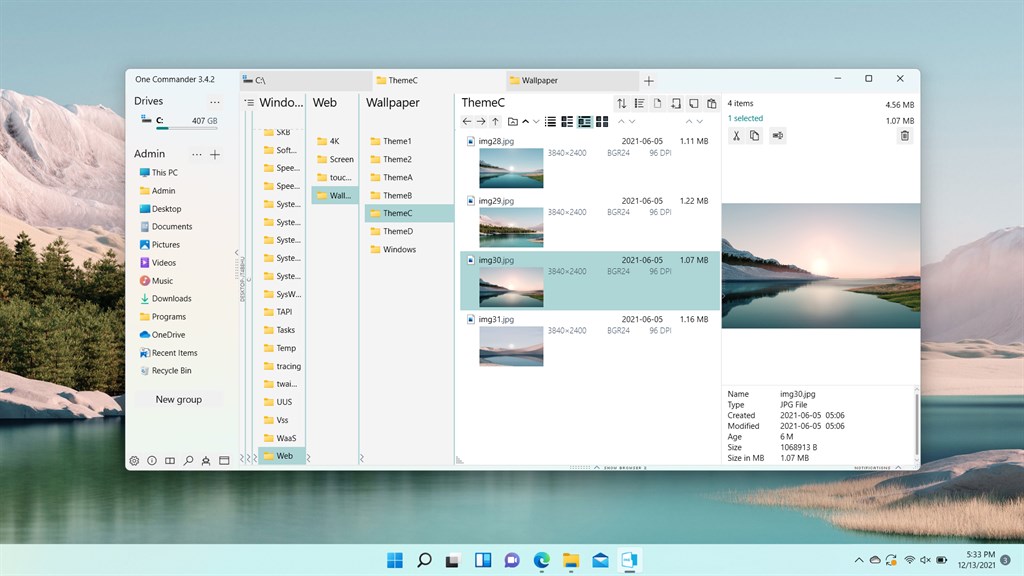
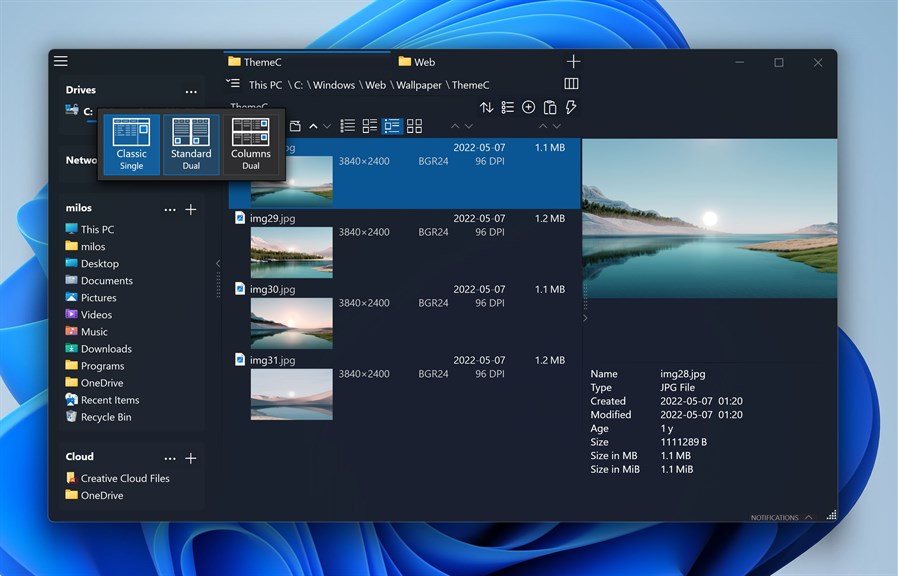
1. Dual-pane interface: OneCommander provides a dual-pane layout enhancing file management, allowing for more efficient dragging and dropping of files between folders and improved multitasking by having multiple directories open simultaneously.
2. Column view and tabs: It offers a column view for easier file browsing and organization, reminiscent of macOS Finder, along with the efficient use of tabs to reduce the need for opening multiple window instances.
3. Visual clarity and tags: The software emphasizes a clean, clutter-free interface with color-coded tags and metadata-rich file cards, which makes locating and organizing files visually intuitive and reduces search time.
Cons
1. Learning Curve: OneCommander boasts a unique interface that deviates from traditional file manager layouts, which may result in a steep learning curve for users accustomed to classic Windows Explorer or other standard file managers.
2. Performance on Older Machines: The software's visual effects and design-centric approach might lead to performance issues on older or less powerful PCs, possibly causing sluggishness or decreased responsiveness.
3. Limited Customization: Some users might find OneCommander less flexible in terms of customization when compared to other file managers. The ability to tweak and adjust the interface or certain functionalities to individual preferences may not be as comprehensive.


