
Auto Clicker - Mouse clicker and Key presser
for Windows- Name Auto Clicker - Mouse clicker and Key presser
- Category Utilities & tools
- Downloads 62,000,000+
- Developer ShazApp
- Available on PC, Mobile, Surface Hub, HoloLens
- OS Windows 10 version 17763.0 or higher

Pros
1. Efficiency Improvement: Auto Clicker automates repetitive clicking tasks, allowing users to complete them quicker and more consistently, increasing productivity in tasks like gaming or data entry.
2. Reduced Physical Strain: By automating clicks, the software minimizes the physical wear on fingers and wrists, mitigating the risk of strain injuries associated with prolonged mouse use.
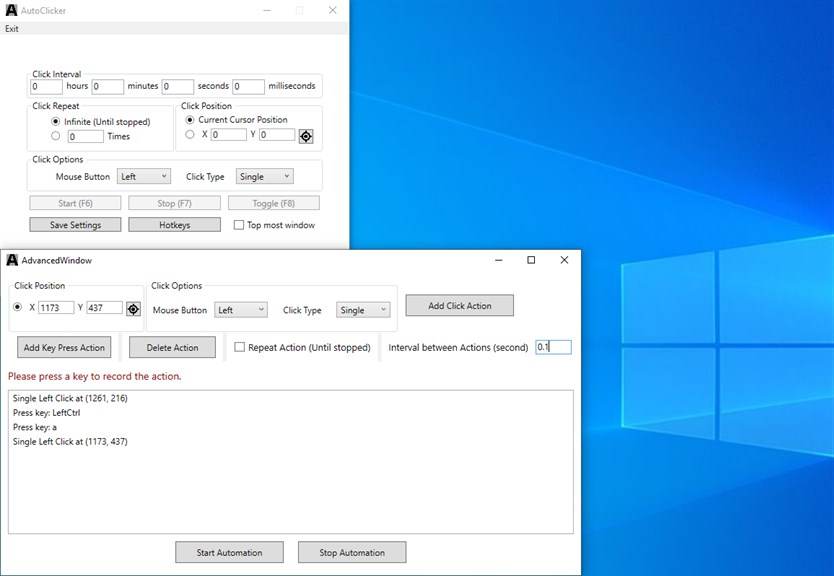
3. Customization: With adjustable click intervals, click types, and hotkey settings, users can tailor the software's behavior to their specific needs, enhancing the user experience and accommodating varied applications.
Cons
1. Potential for Misuse: Auto Clicker software can be used for cheating in games or automating tasks in a way that violates a service or game's terms of use, leading to account bans or legal issues.
2. Security Risks: Such software may be flagged by antivirus programs as potentially malicious, potentially containing malware, or could be exploited by malware to perform harmful actions without user consent.
3. Performance Impact: Running Auto Clicker software in the background can consume system resources, which can slow down your computer, especially if using an older PC or running resource-intensive tasks simultaneously.


