
PhotoDirector - Photo Editing With Generative AI
for Windows- Name PhotoDirector - Photo Editing With Generative AI
- Category Photo & video
- Downloads 69,000,000+
- Developer CyberLink Corp.
- Available on PC
- Architecture x64
- OS Windows 10 version 0.0 or higher
- Keyboard Integrated Keyboard
- Mouse Integrated Mouse
- Memory 4 GB
- DirectX Version 11
- Processor Intel Core™ i-series or AMD Phenom® II and above
- Graphics Processor 128 MB VGA VRAM or higher



Pros
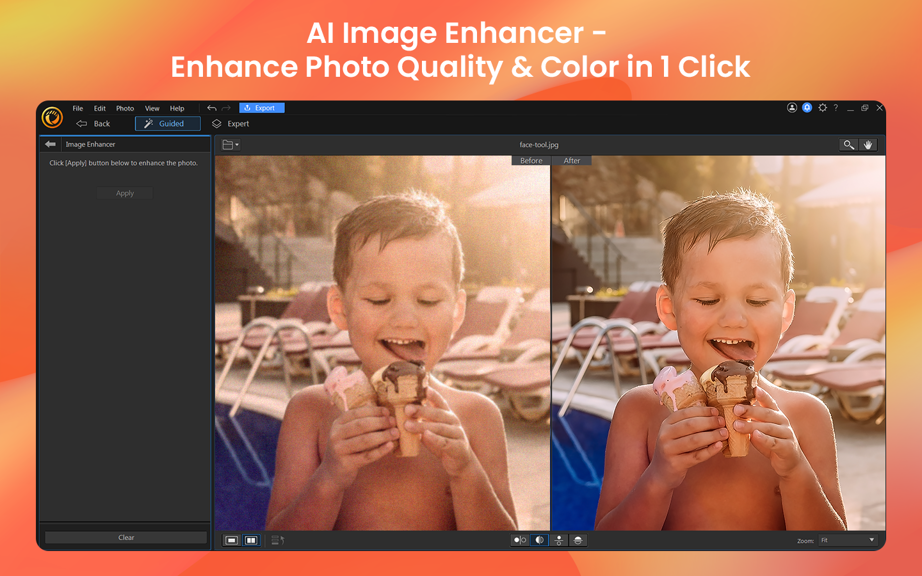
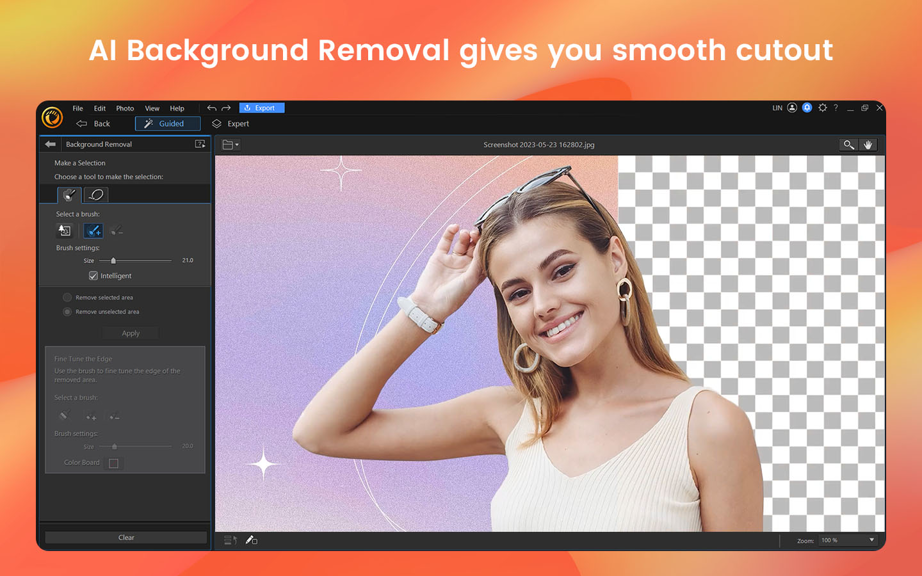
1. AI-Powered Tools: PhotoDirector utilizes generative AI to simplify complex editing tasks, such as removing objects or replacing backgrounds, enhancing the efficiency and quality of photo edits for users of all skill levels.
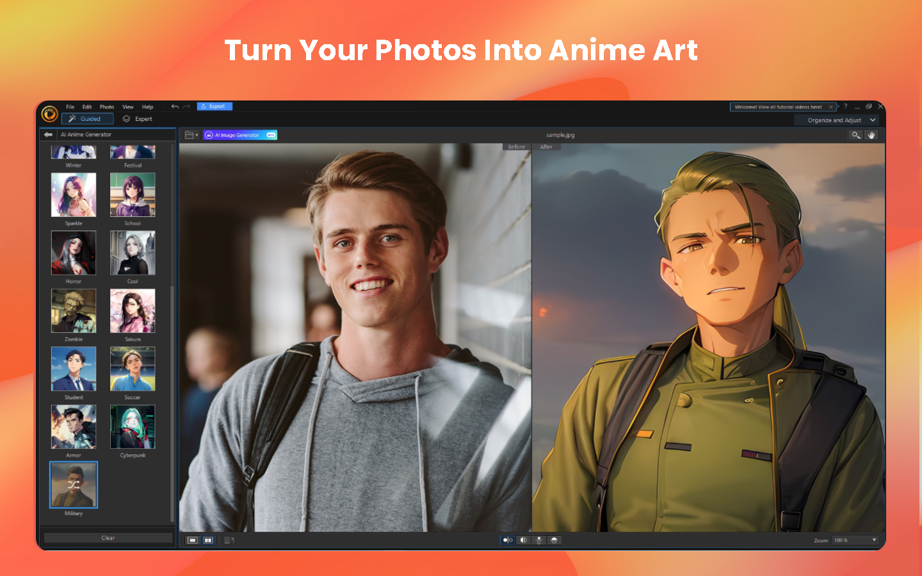
2. Creative Capabilities: The software offers a suite of AI-driven effects and filters, enabling users to transform ordinary images into visually striking creations with just a few clicks, fostering artistic expression without requiring extensive manual effort.
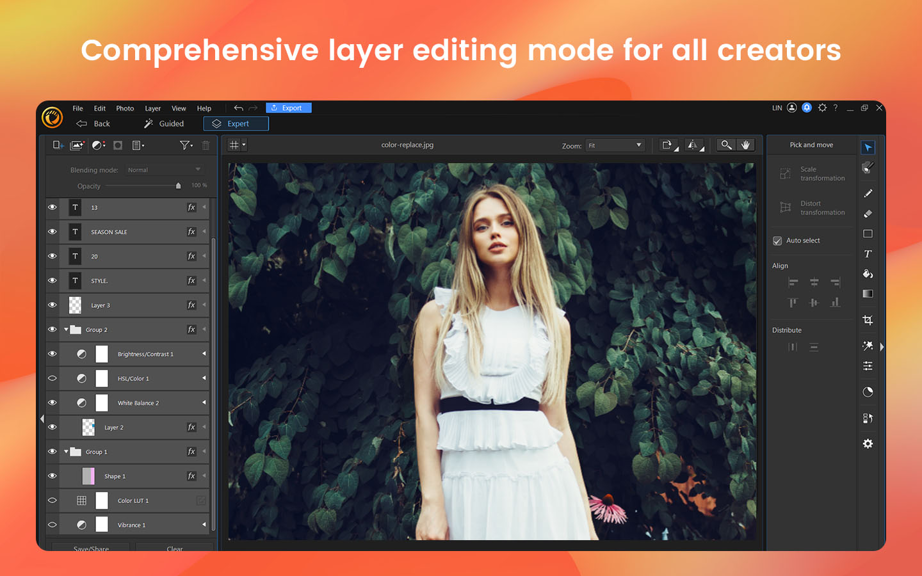
3. Workflow Optimization: PhotoDirector is designed with an intuitive interface and smart organization features, which streamline the editing process, allowing users to manage and edit photos with ease, thereby saving time and improving overall productivity in photo editing workflows.
Cons
1. Limited Free Version: PhotoDirector's free version offers restricted functionality, compelling users to purchase the full version to unlock all features, which might not be feasible for everyone.
2. Resource-Intensive: The software demands significant system resources, potentially causing performance issues on lower-end or older computers not equipped to handle intensive processing.
3. Learning Curve: PhotoDirector's extensive suite of tools, combined with Generative AI capabilities, can be overwhelming for beginners, necessitating a period of learning and adaptation to fully utilize the software's potential.


